AI-Powered Transcripts & Insights for Google Meet
Automatically capture meeting transcripts and extract key topics, action items, and speaking analytics—all in one click
5 meetings free • One-time payment for unlimited
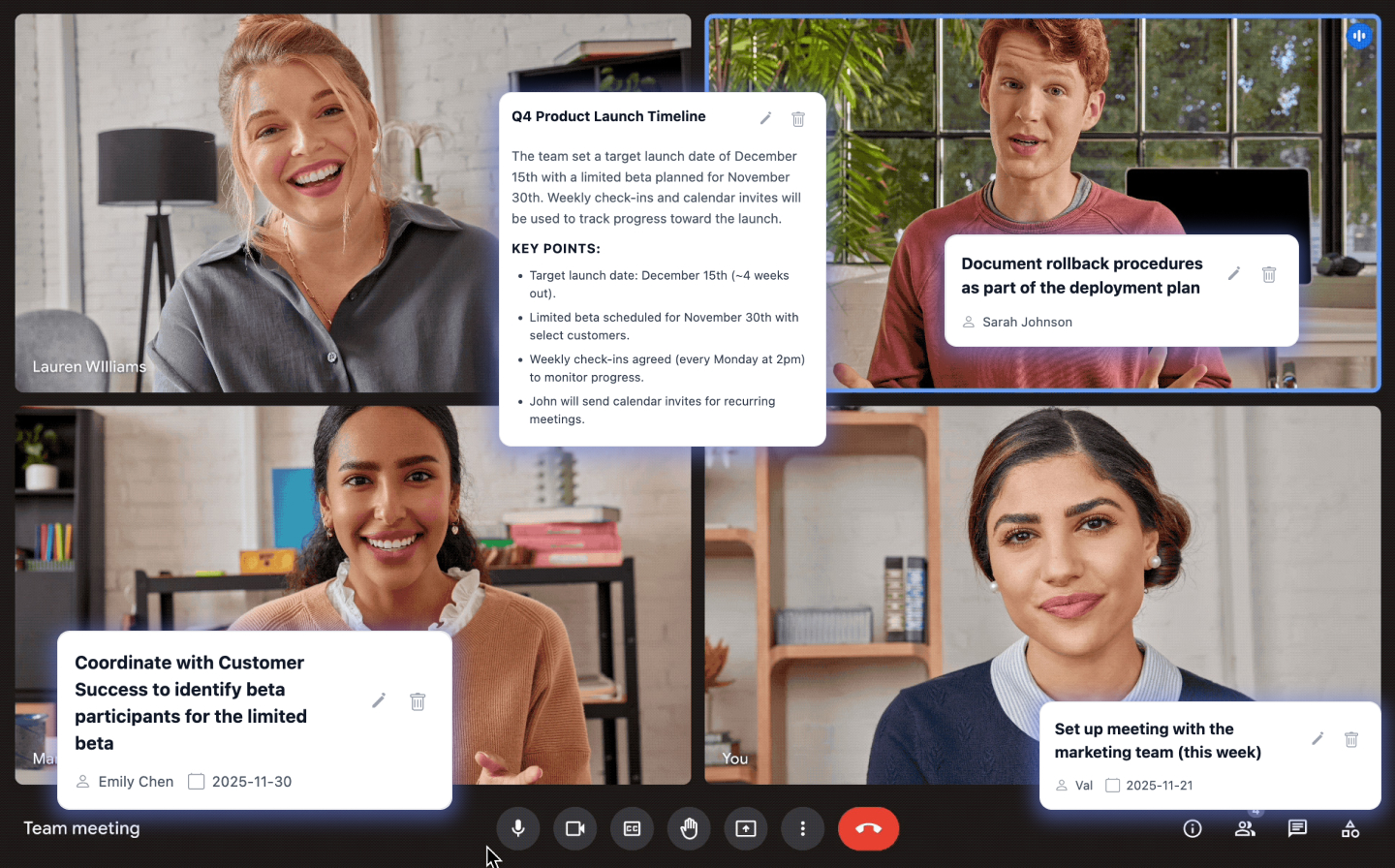
Automatically capture meeting transcripts and extract key topics, action items, and speaking analytics—all in one click
5 meetings free • One-time payment for unlimited
Important action items and decisions get lost in the flow of conversation
Can't remember who said what or who committed to what
Hours spent rewatching recordings to find specific moments
Automatically identify key discussion topics with intelligent analysis
Never miss a task or follow-up with AI-powered action item extraction
See who spoke, when, and for how long with detailed participation metrics
Automatically save meeting chat messages alongside transcripts
Tailor insights to your workflow with fully customizable prompts
Copy or download transcripts and insights instantly
Add Pronto Notes to Chrome with one click
Extension works automatically in the background
Get transcripts with topics, actions, and analytics

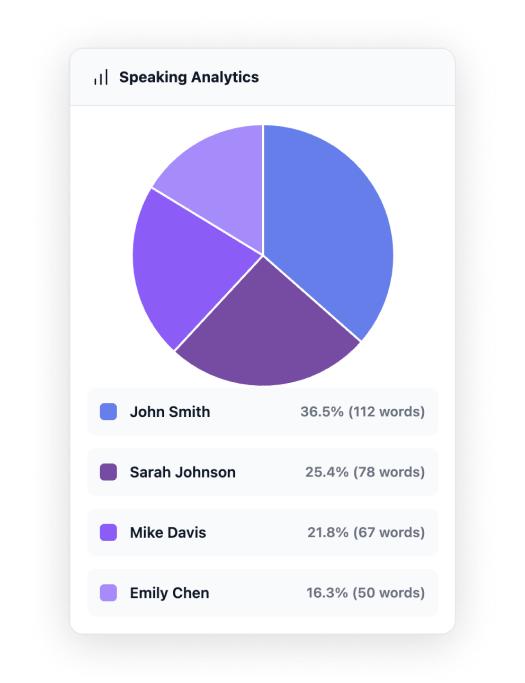
See who's contributing and who might need encouragement
Understand conversation balance and speaking patterns
Use insights to create more inclusive, effective meetings
No subscription. Pay once, use forever.
All transcripts stored locally on your device
No data sent to our servers—ever
Use any AI provider or local models
You decide what gets analyzed
Yes! Pronto Notes works with any Google Meet meeting where captions are available. The extension automatically handles everything in the background.
We support OpenAI, Anthropic (Claude), Google Gemini, and any custom API endpoint. You can configure your preferred provider in the settings.
Absolutely! You can point Pronto Notes to any local AI endpoint (like Ollama or LM Studio) using the custom API option.
After your free trial, you'll be prompted to unlock unlimited access with a one-time $15 payment. No subscriptions, no recurring fees—pay once and use forever.
Never. All transcripts are stored locally on your device. We don't have access to your data. AI analysis only happens when you choose to use it, and goes directly to your configured AI provider.
Yes! We offer a 30-day money-back guarantee. If you're not satisfied, contact us for a full refund.
No! The extension automatically enables captions when you join a meeting and handles everything in the background.
Yes! You can copy transcripts to your clipboard or download them as text files. From there, you can import them into any tool you use.
Start capturing insights today—no credit card required for free trial
Upgrade anytime for $15 • Lifetime access